
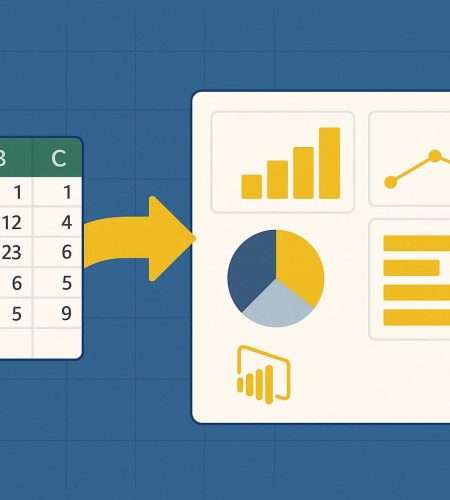
Have you ever stared at a massive spreadsheet and felt completely lost? You are not alone in this struggle. Over my years working as a data consultant, I have seen countless business owners and managers drown in endless rows and columns. They have all the data they could ever need. Yet, they have no idea what that data is trying to tell them.
This is the classic modern business problem. We collect information on sales, inventory, website clicks, and employee performance. But raw data sitting in a file does not help you make smart choices. You need a way to translate those numbers into a clear story.
Today, I want to talk about the exact tool I use to solve this problem for my clients. We are going to look closely at how modern business intelligence tools can completely change the way you run your company.
The End of Spreadsheet Chaos
Let me paint a picture that might sound familiar. It is Friday afternoon. You need to prepare a weekly performance report for the executive team. To do this, you have to download a CSV file from your sales software. Then you export another report from your marketing platform. You paste both of them into Excel. You spend the next three hours writing VLOOKUP formulas, creating pivot tables, and praying that the software does not crash.
This manual reporting process is slow. It is frustrating. It is also highly prone to human error. One wrong copy and paste can ruin the entire report.
There is a much better way to handle business data. You can automate the entire process and get your Friday afternoons back. This is where Microsoft’s flagship data visualization tool comes into the picture.
So, What is Power BI Exactly?
People often ask me about the best way to handle massive amounts of business data. My answer is almost always the same. You need a dedicated business intelligence platform. If you want a comprehensive breakdown of the basics, I highly recommend checking out this excellent guide on what is Power BI.
In simple terms, it is a collection of software services, apps, and data connectors. These different pieces work together to turn your unrelated sources of data into clear, visually immersive, and interactive insights.
Think of it as a highly intelligent translator. It takes the complicated language of raw numbers and turns it into beautiful charts and graphs that anyone can understand. It does not matter if your data lives in a simple Excel workbook, a complex cloud database, or a web analytics tool. This platform connects to all of them easily.
The Core Components You Need to Know
To truly understand how this tool works, you should know its three main parts:
- Power BI Desktop: This is the free application you install on your computer. This is where the heavy lifting happens. As a data professional, I spend most of my time here connecting to data, cleaning it up, and building the initial reports.
- The Power BI Service: This is the cloud based online service. Once you finish building a report on your desktop, you publish it here. This allows your team members to view the interactive dashboards from their web browsers.
- Mobile Apps: These are apps for your phone or tablet. They let decision makers check important business metrics securely while they are on the go.
How Power BI Transforms Raw Data into Gold
You might be wondering how the actual transformation process happens. How do we go from a messy spreadsheet to a beautiful interactive dashboard? As an expert, I follow a specific three step framework for every project.
Step 1: Connecting to Your Data Sources
The very first step is getting your data into the system. The platform offers hundreds of built in connectors. You can connect directly to Excel, Google Analytics, Salesforce, SQL databases, and even simple text files.
The best part is that you are establishing a live or scheduled connection. You do not have to manually import new data every single week. When your underlying database updates, your dashboard updates along with it.
Step 2: Cleaning and Shaping the Data
Raw data is almost always messy. You might have blank spaces, incorrect date formats, or duplicate entries.
The software includes a brilliant tool called Power Query. I use Power Query to clean and shape the information before I ever try to build a chart. I can tell the system to remove blank rows, change text to numbers, and merge different tables together. The system records every single cleaning step I take. The next time fresh data comes in, the software automatically applies those exact same cleaning steps. This feature alone saves my clients hundreds of hours every year.
Step 3: Creating Interactive Dashboards
Once the data is clean, the fun part begins. This is where data visualization takes center stage. You simply drag and drop the fields you want to measure onto a blank canvas.
You can create bar charts, line graphs, maps, and scatter plots in seconds. But these are not static pictures like you find in a PowerPoint presentation. They are fully interactive. If you click on a specific product category in a pie chart, all the other graphs on the page will instantly filter to show data only for that specific category.
Real World Benefits of Using Business Intelligence Tools
Switching from manual spreadsheets to an automated data analytics platform offers incredible advantages. Here are the biggest changes my clients see after implementation.
Faster Decision Making
In the business world, speed is everything. If you have to wait two weeks for your IT department to build a custom report, the opportunity might already be gone. With real time reporting, managers can look at a dashboard on Tuesday morning and instantly see that a specific marketing campaign is failing. They can pause the campaign immediately and save the company money.
Spotting Hidden Trends
Spreadsheets make it very hard to see the big picture. When you visualize data, patterns become obvious. I once helped a retail company map out their sales data geographically. Within five minutes of looking at the new dashboard, they realized that a specific product was selling exceptionally well in just one specific zip code. They had no idea this was happening. They immediately targeted their advertising to that local area and doubled their profit on that item.
Breaking Down Data Silos
Most companies suffer from disconnected departments. The sales team uses one software. The finance team uses another. Human resources uses something completely different. This setup creates isolated pockets of information. By connecting all these different systems into one central reporting hub, company leaders finally get a single source of truth. Everyone looks at the same numbers at the exact same time.
Why Power BI Beats Traditional Reporting Methods
You might still think that your current Excel process is good enough. Excel is an amazing tool. I use it every single day. But it was not built to handle millions of rows of data. It was not built to automatically pull data from cloud applications. And it certainly was not built to share interactive reports securely across an entire enterprise.
Modern data platforms use data compression engines that can handle massive datasets without slowing down your computer. They also feature robust security measures. You can restrict access so that a regional manager only sees the sales numbers for their specific territory, even though they are looking at the exact same company wide dashboard.
Getting Started on Your Data Analytics Journey
You do not need to be a senior programmer to start seeing benefits. The interface is highly intuitive. It is designed to feel very similar to other Microsoft Office products you already know how to use.
If you are tired of spending your days copying and pasting numbers, it is time to make a change. Start small. Pick one frustrating manual report that you hate building every month. Download the desktop application and try connecting your data. Play around with the drag and drop visuals.
Once you see your own raw data transform into a clear, interactive story, you will never want to go back to static spreadsheets again. The world of business intelligence is exciting, and taking the first step will completely change the way you understand your business.